
Ask AI (During a Meeting)
You can ask AI questions in real-time while on the call.
To ask a question:
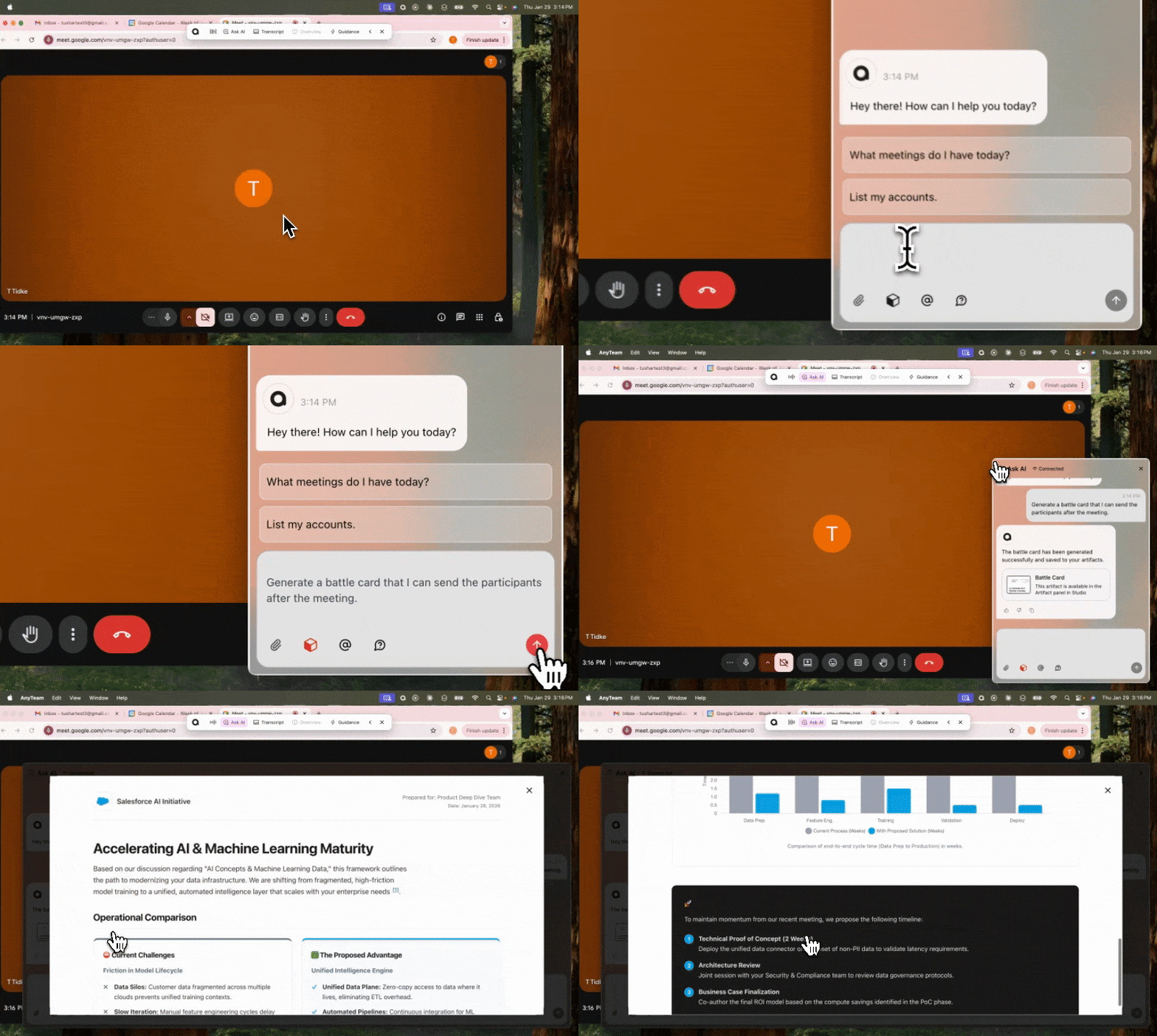
Type your question in the input field.
The AI responds based on account data, meeting context, and what's been said in the call.
Additional features in meeting Ask AI:
Attachments: Click the attachment icon to add a file for context.
Artifact Mode: Toggle on to generate artifacts (battle cards, etc.) from your conversation.
Provide an Answer icon: Click this to have AI generate a response to the last 3 questions raised in the meeting.
What you can ask:
“Tell me more about John Doe on this call”
“I zoned out, can you give me a summary of everything discussed in the last 5 minutes”
“Give me an agenda for my next meeting with [Account]”
“Generate a Battle Card that I can send over after the call”