Merge Meetings
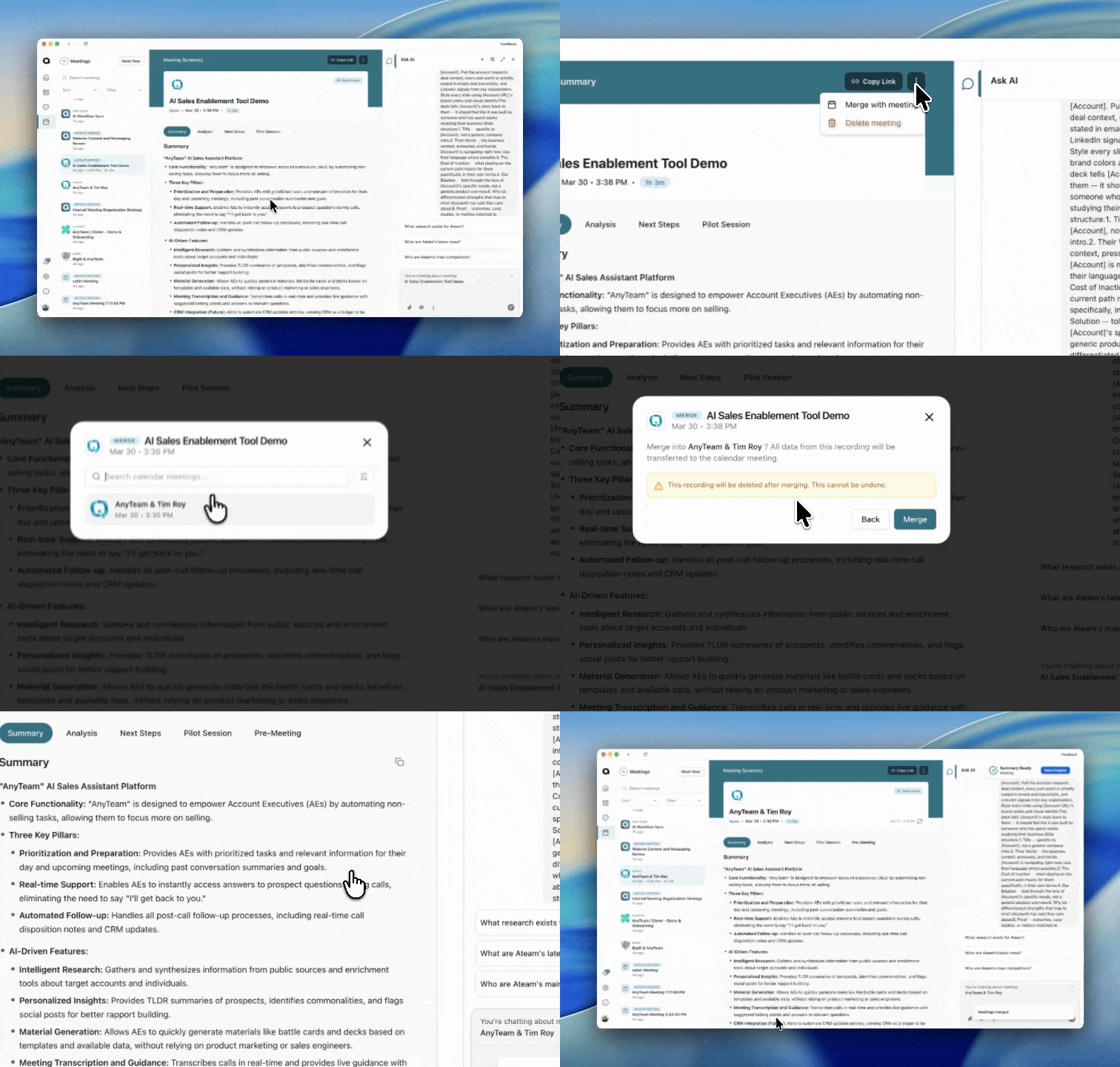
Access your All Meetings View and select the meeting you want to merge
Select the three buttons at the top of your meeting summary
Select Merge with Meeting
You will see a pop up with your scheduled calendar meetings with the account
Select the correct meeting and press "Merge"